Text Diff Checker
Paste two versions of any text — code, contracts, articles, configs — and see exactly which lines were added, removed, or unchanged, Git-style. Comparison runs locally.
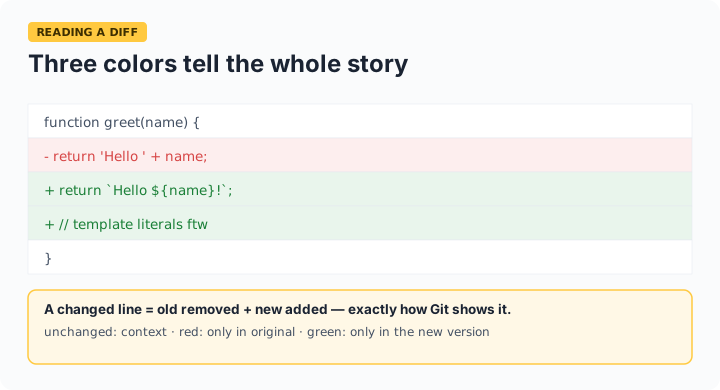
How to read it: red lines exist only in the original (removed), green lines only in the changed version (added), plain lines are identical. A changed line shows as a remove + add pair — exactly how Git presents it.
When line diff is the right tool (and when it isn't)
Line diff shines for code, configs, and any text with meaningful line structure — it's how Git thinks. For reflowed prose (where one edit shifts every subsequent line-wrap), paste with consistent wrapping or one-sentence-per-line for readable results. For JSON specifically, use our JSON Diff tool instead: it compares structure, so reordered keys and reformatting don't produce noise. The whitespace-ignore option helps when comparing code across editors with different indentation habits.
Frequently asked questions
Why does one small edit show as a remove plus an add?
Line diff treats each line as atomic — a modified line is, from the algorithm's perspective, the old line removed and a new line added. That matches Git's presentation. Character-level highlighting within lines is a different (heavier) algorithm this tool trades away for speed and clarity.
How large a text can I compare?
Up to 2,000 lines per side — that covers most source files and documents while keeping comparison instant in the browser. For bigger files, split them or diff locally with git diff --no-index.
Does it handle moved blocks?
Like standard diff, a moved block appears as removed from its old location and added at the new one — the algorithm finds the longest common subsequence, not moves. If you see a large matching red and green block, that's usually a move.
Is my text uploaded?
No — the comparison runs entirely in your browser. Contracts, unreleased code, and drafts stay on your device.