Image Format Converter
Convert between PNG, JPG, and WebP in your browser — with quality control for lossy output and honest handling of transparency (JPEG can't keep it; this tool fills white and tells you).
⚠ JPG doesn't support transparency — transparent areas will become white.
Which format when: JPG for photographs (smallest); PNG for screenshots, logos, and anything needing transparency (lossless); WebP for the web — photo-like compression 25–35% smaller than JPEG, transparency supported, understood by every modern browser.
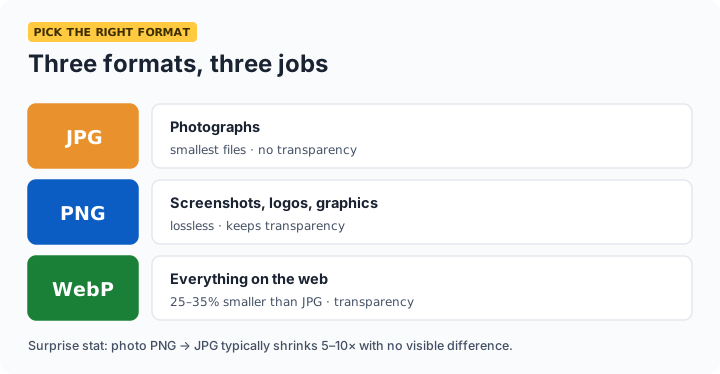
PNG vs JPG vs WebP
| JPG | PNG | WebP | |
|---|---|---|---|
| Best for | Photos | Screenshots, logos, graphics | Everything on the web |
| Compression | Lossy, small | Lossless, large for photos | Lossy or lossless, smallest |
| Transparency | No | Yes | Yes |
| Support | Universal | Universal | All modern browsers & apps |
The one conversion that surprises people: photo PNG → JPG typically shrinks the file 5–10× with invisible quality difference. The reverse — JPG → PNG — makes files bigger without restoring any quality, since JPEG's loss already happened. Convert to PNG only when you need transparency or lossless edits going forward.
Frequently asked questions
Does converting JPG to PNG improve quality?
No — quality lost to JPEG compression is gone permanently. Converting to PNG just stores the already-lossy pixels losslessly, making a much bigger file with identical appearance. Convert to PNG only when you need transparency or plan lossless editing.
What happens to transparency when converting to JPG?
JPEG has no alpha channel, so transparent areas must become a solid color — this tool fills them white and warns you before converting. Keep PNG or choose WebP if transparency matters.
Is WebP safe to use everywhere now?
On the web, yes — every modern browser has supported WebP for years, and it's typically 25–35% smaller than equivalent JPEG. The remaining gaps are some older desktop software and printing workflows, where JPG/PNG remain the safe handoff formats.
Can I convert HEIC iPhone photos here?
Browser support for reading HEIC is inconsistent, so often not directly. Easiest path: share the photo from your iPhone (most apps auto-convert to JPG), or set Settings → Camera → Formats → Most Compatible to shoot JPG, then convert freely here.