Base64 to Image Converter
Paste a Base64 string — with or without the data URI prefix — and see the image instantly, then download it. Also works in reverse: upload an image and get its Base64 data URI for embedding in CSS or HTML.
Copied ✓
Quick answer: paste your Base64 into the box and click Decode. The tool auto-detects whether a data:image/png;base64, prefix is present and identifies the format (PNG, JPEG, GIF, WebP, SVG) from the data itself.
When to embed images as Base64 (and when not to)
Base64 data URIs shine for tiny assets — icons under a few KB, tracking pixels, email signatures — because they save an HTTP request and can live inside CSS or a single HTML file. They're the wrong choice for photos and large images: Base64 adds ~33% to file size and the data can't be cached separately from the page. Rule of thumb: embed under ~5 KB, link everything larger.
Frequently asked questions
How does the tool know if my Base64 is a PNG or JPEG?
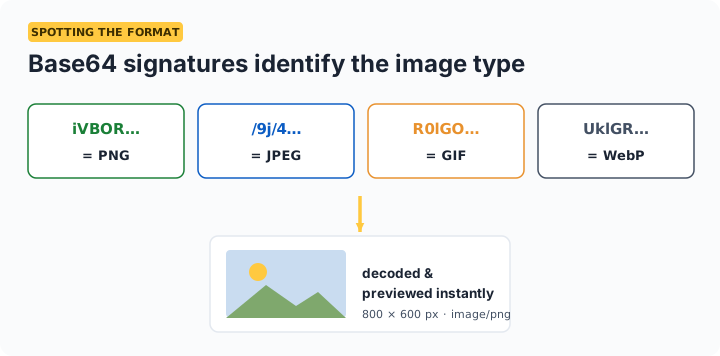
From the data itself: every image format starts with a recognizable signature that survives Base64 encoding — PNG strings start with iVBOR, JPEG with /9j, GIF with R0lG. The tool sniffs these and applies the right format automatically.
Do I need the data:image prefix?
No. Paste the raw Base64 or the full data URI — both work. The tool strips or adds the prefix as needed and also removes stray whitespace and line breaks that often sneak in when copying from code or emails.
Why does my Base64 string fail to decode?
The three usual causes: the string was truncated when copying (very common with long strings), it isn't image data at all (e.g. it decodes to JSON or text), or characters were altered — for example + turning into a space when passed through a URL.
Is there a size limit?
Practically, browser memory is the limit — multi-megabyte strings work fine on modern devices. Remember that Base64 is ~33% larger than the binary image, so a 3 MB string is roughly a 2.2 MB image.