JSON Diff Tool
Paste two JSON documents and see exactly what changed: every added, removed, and modified key with its full path (like user.address.city). Key order is ignored — only real differences are reported.
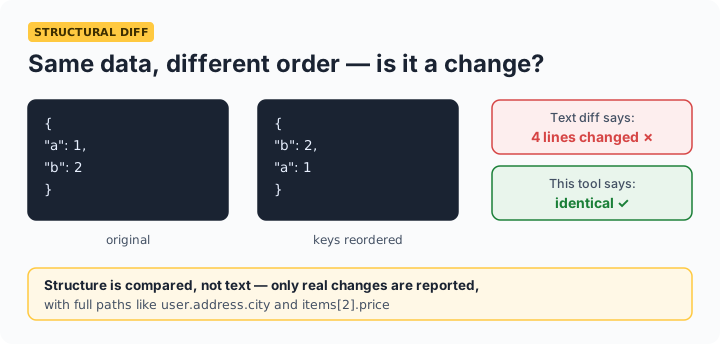
Why not just text-diff? Text diffs flag re-ordered keys and formatting changes as differences even when the data is identical. This tool compares the parsed structure, so {"a":1,"b":2} and {"b":2,"a":1} correctly show as equal.
Reading the results
Each difference shows its full path in dot notation — user.address.city for nested objects, items[2].price for array elements. added means the key exists only in the changed document, removed only in the original, and changed shows both values with an arrow. Typical uses: comparing API responses across versions, checking what a config deployment actually changed, and debugging why two "identical" payloads behave differently.
Frequently asked questions
Does key order matter in the comparison?
No. JSON object keys have no defined order, so this tool compares parsed structure — two documents with the same keys and values in different order are reported as identical. Array order does matter, because arrays are ordered by definition.
How are arrays compared?
Element by element, by index: items[0] against items[0], and so on. Extra elements in either document are reported as added or removed at their index. If your arrays are logically unordered sets, sort them before comparing.
Can I compare very large JSON files?
Yes, within browser memory — multi-megabyte documents compare in well under a second on modern devices. Everything runs locally, so there's no upload size limit.
Is my JSON sent to a server?
No. Both documents are parsed and compared entirely in your browser — important, since the JSONs people diff are often real API responses containing internal data.