Image Resizer
Resize any image to exact pixel dimensions or a percentage, with aspect-ratio lock so nothing gets squashed. Presets for HD, Instagram, and Indian passport-photo dimensions. Download as JPG or PNG.
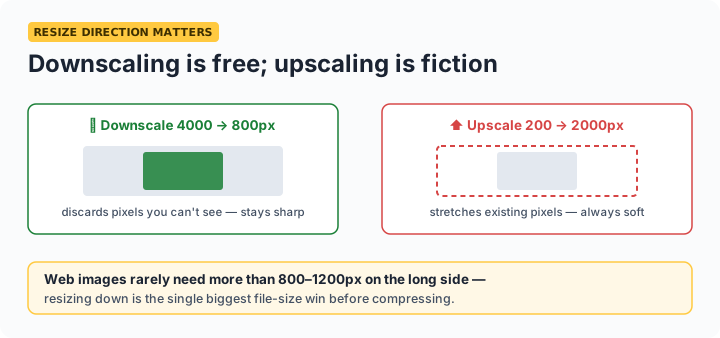
Rule of thumb: downscaling always looks clean; upscaling never adds real detail. Resize down to what you need — a 4000px phone photo destined for a form or a web page rarely needs more than 800–1200px on its longest side, and the file shrinks dramatically with it.
Dimension cheat sheet
| Use | Dimensions |
|---|---|
| Indian passport photo (3.5×4.5 cm @ 300 DPI) | 413 × 531 px |
| Instagram square / portrait | 1080 × 1080 / 1080 × 1350 |
| Full HD (video thumbnails, wallpapers) | 1920 × 1080 |
| Blog post inline image | 800–1200 px wide |
| Email signature logo | 300–400 px wide |
Unlock the aspect ratio only when a form demands exact non-matching dimensions (like passport 413×531 from a differently-shaped photo) — and expect some distortion; cropping to the right shape first gives a better result. After resizing for an upload limit, finish with the compressor's target-KB mode.
Frequently asked questions
How do I resize a photo for Indian passport or government forms?
Use the Passport 413×531 preset — that's 3.5 × 4.5 cm at 300 DPI, the standard Indian specification. Since your photo probably isn't that exact shape, uncheck the aspect lock (accepting slight distortion) or crop it to 3.5:4.5 first. Then use our compressor to hit the KB limit.
Does resizing reduce quality?
Downscaling with high-quality smoothing (which this tool uses) looks clean — you're discarding pixels the target size can't show anyway. Upscaling beyond the original size just stretches existing pixels and always looks soft; no free tool can invent real detail.
What's the difference between resizing and compressing?
Resizing changes the pixel dimensions (4000×3000 → 800×600); compressing changes how efficiently those pixels are stored. For big file-size cuts, do both: resize to the dimensions you actually need, then compress to your KB target.
Is my image uploaded anywhere?
No — resizing happens in your browser's canvas. The image never leaves your device.