Color Converter
Pick a color or paste a HEX code — get RGB and HSL instantly, plus an automatic palette of tints and shades with copyable codes. Everything updates live.
The three formats: HEX (#ffc940) is compact and universal in CSS; RGB exposes the red/green/blue channels (useful for opacity via rgba); HSL separates hue, saturation, and lightness — the format to think in, since "darker" is just lower L.
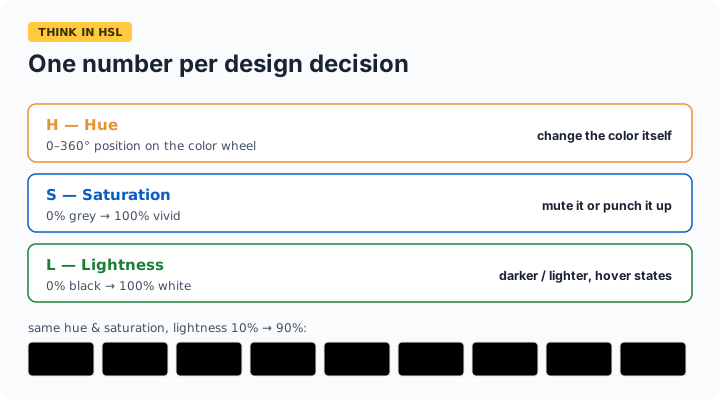
Thinking in HSL
HSL is the format designers should reason in: Hue is the color wheel position (0° red, 120° green, 240° blue), Saturation is intensity, Lightness runs black (0%) to white (100%). Every design operation becomes one number: a hover state is the same H and S with L nudged 8–10%; a muted variant lowers S; a complementary accent adds 180° to H. The palette above holds your hue and saturation while stepping lightness from 10% to 90% — instant tints and shades that stay on-brand.
Frequently asked questions
How do I make a color darker or lighter without changing it?
Convert to HSL and adjust only the Lightness value — the hue and saturation that define the color's identity stay fixed. That's exactly what the tints-and-shades palette does in 10% steps; click any swatch to copy its hex.
What's the difference between #fc4 and #ffcc44?
Nothing — 3-digit hex is shorthand where each digit doubles (#fc4 = #ffcc44). This tool accepts both. Note shorthand can only express values with repeated digits, so #ffc940 has no 3-digit form.
When should I use RGB instead of HEX?
When you need transparency: rgba(255, 201, 64, 0.5) gives 50% opacity, which plain hex can't express (though 8-digit hex #ffc94080 now works in modern CSS). Otherwise they're identical colors in different notation — pick whichever your codebase uses.
Are these conversions exact?
HEX ↔ RGB is exact — they're the same 0–255 values in different bases. HSL involves rounding to whole degrees and percentages, so a round-trip can shift a channel by one point; visually imperceptible.