JSON Formatter & Validator
Paste JSON and format it beautifully, minify it for production, or just validate it — invalid JSON gets the exact line and column of the error, not a vague failure message. Everything runs locally.
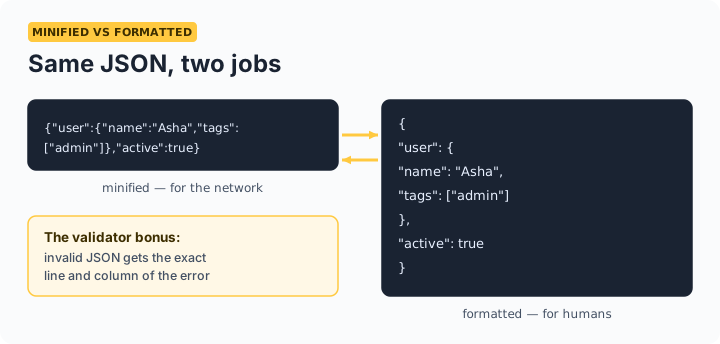
The three jobs: Format makes JSON human-readable for debugging and code review. Minify strips whitespace for smaller payloads. Validate catches the trailing comma, missing quote, or single-quoted string that breaks a parser — with the exact position.
The five errors that break most JSON
| Mistake | Wrong | Right |
|---|---|---|
| Trailing comma | {"a": 1,} | {"a": 1} |
| Single quotes | {'a': 1} | {"a": 1} |
| Unquoted keys | {a: 1} | {"a": 1} |
| Comments | {"a": 1} // note | JSON has no comments |
| undefined / NaN | {"a": undefined} | {"a": null} |
These are all valid JavaScript but invalid JSON — the most common source of confusion. The validator pinpoints the exact line and column so you don't hunt through a 500-line payload.
Frequently asked questions
Why is my JSON invalid when it works in JavaScript?
JSON is stricter than JavaScript object syntax: keys must be double-quoted, strings must use double quotes, and trailing commas, comments, undefined, and NaN are all forbidden. Valid JavaScript objects are frequently invalid JSON — this validator tells you exactly where.
Should I minify JSON for production?
For payloads sent over the network, yes — minifying removes whitespace and can cut size 20–40% on deeply indented documents (gzip closes most of the gap, but minified+gzipped is still smallest). For config files humans edit, keep them formatted.
What does sorting keys do, and why would I want it?
It recursively orders every object's keys alphabetically. Sorted JSON diffs cleanly in Git and makes comparing two payloads by eye far easier — combine it with our JSON Diff tool for structural comparison.
Is my JSON uploaded when I format it?
No — parsing, formatting, and validation all run in your browser. API responses and configs often contain internal data; nothing here is transmitted.