File Hash Integrity Checker
Select any file to compute its SHA-256, SHA-512, SHA-1, and MD5 hashes — then paste the checksum from the download page to verify the file wasn't corrupted or tampered with. Hashing happens on your device; the file is never uploaded.
Hashes for
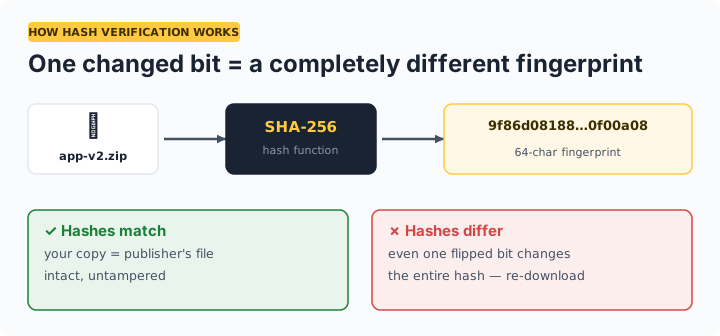
How verification works: the site you downloaded from publishes the file's expected hash. You compute the hash of your copy here and compare. If even one bit of the file changed — corruption, truncation, or tampering — the hash is completely different.
Which hash algorithm should you use?
| Algorithm | Status | Use for |
|---|---|---|
| SHA-256 | Current standard | Verifying downloads, releases, backups — the default choice |
| SHA-512 | Secure | Same as SHA-256; faster on some 64-bit systems |
| SHA-1 | Broken for security | Only matching legacy published checksums — collisions are practical |
| MD5 | Broken for security | Only accidental-corruption checks against old MD5 sums |
If a download page offers multiple checksums, always verify against SHA-256 or SHA-512. MD5 and SHA-1 still detect accidental corruption, but an attacker can forge files that match them.
Frequently asked questions
What is a file hash or checksum?
A fixed-length fingerprint computed from a file's contents. Change one bit of the file and the hash changes completely. Publishers list the expected hash so you can verify your downloaded copy is exactly the file they released — not corrupted, not tampered with.
Is my file uploaded when I hash it here?
No. The file is read into your browser's memory and hashed locally using the Web Crypto API. Nothing is transmitted — you can disconnect from the internet after loading the page and hashing still works.
Why are MD5 and SHA-1 considered insecure?
Researchers can create two different files with the same MD5 or SHA-1 hash (a collision), so a matching hash no longer proves the file is authentic against a deliberate attacker. They remain fine for detecting accidental corruption. Use SHA-256 whenever the publisher offers it.
The hashes don't match — what should I do?
Delete the file and re-download it; most mismatches are interrupted or corrupted downloads. If a fresh download from the official source still mismatches, don't run the file — it may have been tampered with — and report it to the publisher.