Base64 Encoder & Decoder
Convert text to Base64 and back instantly. Fully UTF-8 safe — Hindi, emoji, and every other script encode correctly — with an optional URL-safe variant for tokens and query strings.
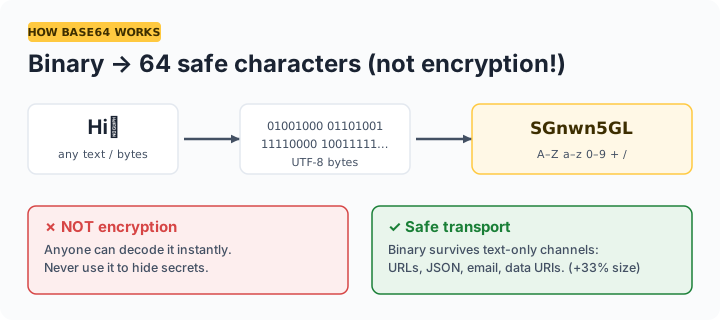
Important: Base64 is an encoding, not encryption. Anyone can decode it instantly — never use Base64 to protect passwords or secrets. Its job is representing binary or special characters as plain ASCII text for URLs, JSON, email, and data URIs.
What is Base64 used for?
Base64 represents any data using 64 safe ASCII characters, which lets binary content travel through text-only channels: embedding images in CSS or HTML as data URIs, packing payloads into JSON APIs, email attachments (MIME), basic HTTP authentication headers, and JWT tokens. The trade-off is size — Base64 output is about 33% larger than the input. The URL-safe variant swaps + and / for - and _ so encoded values survive inside URLs without percent-escaping.
Frequently asked questions
Is Base64 encryption?
No — this is the most common misconception. Base64 is a reversible encoding anyone can decode instantly, with no key. Never use it to hide passwords, API keys, or personal data. For secrecy you need actual encryption.
Why is my Base64 output longer than the input?
Base64 represents every 3 bytes of input as 4 output characters, so encoded data is about 33% larger. That's the cost of using only 64 safe ASCII characters.
Does this work with Hindi, emoji, and other non-English text?
Yes. The tool encodes text as UTF-8 bytes before Base64 conversion, so every language and emoji round-trips correctly — unlike naive btoa() JavaScript implementations that fail on non-Latin characters.
What is URL-safe Base64?
A variant that replaces + with - and / with _ (and usually drops = padding) so the encoded string can sit inside a URL or filename without escaping. JWTs use it. The decoder here accepts both variants automatically.