.htaccess Generator
Build a correct Apache .htaccess from checkboxes: force HTTPS, pick your www preference, add 301 redirects, enable compression and browser caching, and set sensible security headers — without memorizing mod_rewrite syntax.
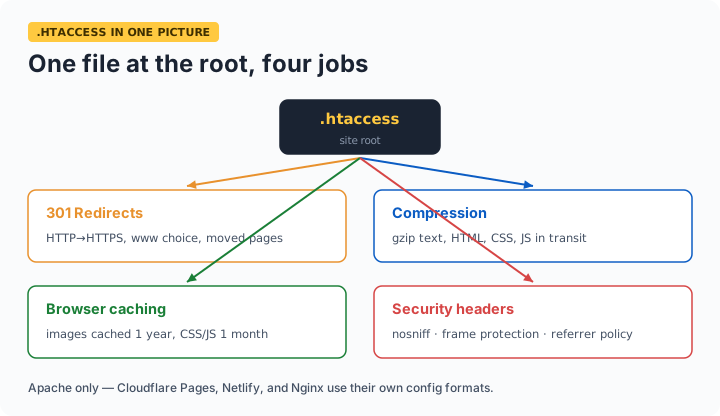
What .htaccess is: a per-directory Apache config file. Uploaded to your site root, it controls redirects, caching, compression, and headers without touching server config. One syntax error can 500 your whole site — generate, test on staging, keep a backup of the old file.
Deploying safely
The download is named htaccess.txt because browsers hide dotfiles — rename it to exactly .htaccess after uploading to your site root. Before replacing an existing file, download the old one as backup: a syntax error in .htaccess returns 500 for the entire site instantly. The rules above are wrapped in <IfModule> guards, so missing Apache modules degrade gracefully instead of erroring. Note this file is Apache-only — Nginx and modern static hosts (Cloudflare Pages, Netlify) ignore it and use their own config formats.
Frequently asked questions
Where do I put the .htaccess file?
In the directory it should govern — usually your site root (public_html or equivalent), where it applies to everything below. The filename is exactly .htaccess with the leading dot and no extension; enable 'show hidden files' in your file manager to see it after upload.
My site shows error 500 after uploading — what happened?
A syntax error or a directive your server doesn't allow. Restore your backup immediately, then re-add sections one at a time to find the culprit. Shared hosts sometimes disable specific directives; the IfModule guards in this generator's output prevent the most common module-missing failures.
Should I force www or non-www?
Either — what matters is picking ONE and 301-redirecting the other, so search engines see a single canonical version instead of duplicate sites. Match whichever version your existing links and Search Console property already use.
Does .htaccess work on Nginx or Cloudflare Pages?
No — .htaccess is Apache-specific. Nginx uses its own config syntax (and doesn't read per-directory files), while static hosts like Cloudflare Pages and Netlify use _redirects/_headers files or dashboard rules. Use this generator when your hosting runs Apache — most shared PHP hosting does.