JSON to CSV Converter
Paste a JSON array and download an Excel-ready CSV. Nested objects are flattened into dot-notation columns (user.address.city), values are properly escaped, and column order follows first appearance.
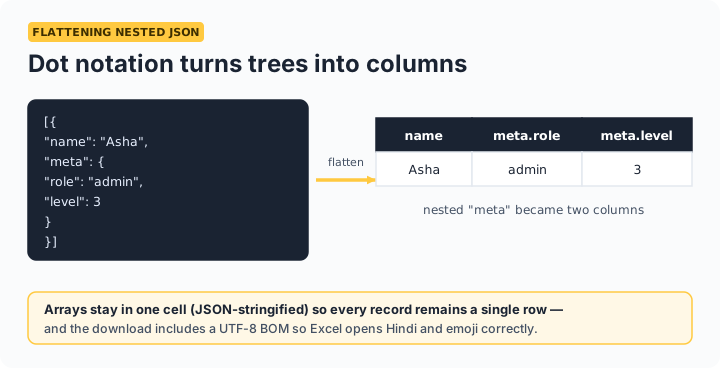
How nesting is handled: a nested field like {"user": {"city": "Pune"}} becomes a column named user.city. Arrays inside records are JSON-stringified into their cell, keeping every row one line — the format Excel and Google Sheets import cleanly.
Opening the CSV in Excel or Google Sheets
The download includes a UTF-8 byte-order mark, so Excel opens Hindi, emoji, and other non-Latin text correctly instead of showing garbled characters — a common failure with other converters. In Google Sheets, use File → Import → Upload. Records with different fields are handled gracefully: the column set is the union of all keys, and missing values become empty cells.
Frequently asked questions
How are nested JSON objects converted to CSV?
They're flattened using dot notation: {"user": {"name": "Asha"}} becomes a column called user.name. This keeps every value in its own column instead of dumping JSON blobs into cells.
What happens to arrays inside my records?
Arrays are JSON-stringified into a single cell (e.g. ["admin","editor"]), keeping one row per record. If you need one row per array element instead, restructure the JSON before converting.
Why does my CSV open with broken characters in Excel?
CSVs without a UTF-8 byte-order mark make Excel guess the encoding and often garble non-English text. This tool's download includes the BOM, so Hindi, emoji, and accented characters display correctly.
What if my records have different fields?
The converter takes the union of all fields across records, in order of first appearance. Records missing a field simply get an empty cell in that column.