Online Markdown Editor
Write on the left, see rendered output on the right — instantly, as you type. Copy the generated HTML for your CMS or download the .md file. Your text stays in your browser.
New to Markdown? It's plain text with lightweight formatting marks: # heading, **bold**, *italic*, [link](url), - list item, and triple backticks for code blocks. Readable as raw text, renders as clean HTML.
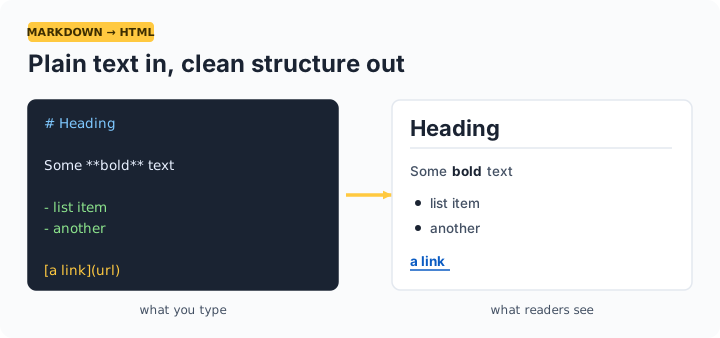
Markdown cheat sheet
| You type | You get |
|---|---|
# Title / ## Section | Heading 1 / Heading 2 |
**bold** · *italic* · ~~strike~~ | bold · italic · |
[text](https://url) | a link |
- item or 1. item | bulleted / numbered list |
> quote | blockquote |
`code` and ```lang blocks | inline code and code blocks |
| a | b | rows | tables |
Frequently asked questions
Is the rendered HTML safe to paste into my site?
Yes — the preview and the copied HTML are sanitized with DOMPurify, which strips script tags and event handlers. You get clean structural HTML: headings, paragraphs, lists, links, tables, and code blocks.
Does this support GitHub-flavored Markdown?
The essentials, yes: tables, fenced code blocks, strikethrough, and automatic line breaks all work. GitHub-specific extras like task-list checkboxes render as plain list items.
Can I save my work?
Download the .md file anytime — that's your source of truth. The editor intentionally keeps nothing: closing the tab clears the text, which is the privacy trade-off of a no-account tool.
Why write in Markdown instead of a word processor?
Markdown is plain text: it diffs cleanly in Git, never corrupts, works in any editor, and converts to HTML, PDF, or Word on demand. It's the standard for READMEs, documentation, technical blogs, and note systems like Obsidian.